Life Alert Alternatives in 2026
 Brandon Ro·
Published ·
Updated
Life Alert alternatives include Silvie, the no-camera home safety sensor for older adults, which sends fall alerts to family. Monitored systems reach an operator. For walks and errands, compare mobile medical alerts and watches with emergency calling. If you are also weighing Medical Guardian alternatives, check who answers and what each plan costs with fall detection.
Compare Life Alert alternatives and monthly fees
Prices checked for Aqara, Bay Alarm, GetSafe and Kami. Lifeline Canada and Vayyar listings were checked the same day. Apple Watch and Medical Guardian US prices were checked . CA$ means Canadian dollars. US$ means US dollars. These are makers' advertised prices for the plans shown.
| Device | Wear or camera | Connection | Who gets the alert | Upfront | Monthly fee |
|---|---|---|---|---|---|
| Silvie | Radar mounted in the corner. No wearable or camera. | See what you need | Push alerts to invited family in the Silvie app. | Current hardware price | Current membership price |
| Life Alert (your current plan) | Check your device and what starts an alert. | Check your service agreement. | Check who answers on your plan. | Use your order or get a quote. | Use your latest bill or get a quote. |
| Medical Guardian landline with fall detection | Wear the pendant. No camera. | Home base with a compatible landline. | Staffed monitoring centre | Ask about equipment and setup | From US$37.95 with fall detection |
| Lifeline Canada HomeSafe with Fall Detection | Wear the pendant. No camera. | Home base uses a landline or cellular service. | Lifeline Response Centre | Ask for any setup charge | CA$ service rate by quote |
| Bay Alarm Medical SOS Home Cellular with Fall Detection | Wear the fall detection button. No camera. | Home base with a cellular signal. | Staffed monitoring centre | US$30 for the fall detection button. Base leased at no charge. | US$44.95 with fall detection |
| Bay Alarm Medical SOS All-In-One 2 with Fall Detection | Wear and charge the mobile device. No camera. | Check cellular coverage. | Staffed monitoring centre | US$149 list price, US$74.50 advertised offer | US$44.95 with fall detection |
| Apple Watch SE 3 | Wear and charge the watch. No camera needed. | iPhone for setup. Check the connection for emergency calls. | Emergency services when a call is made, then chosen contacts | From US$249 | No monitoring plan. Cellular service may cost extra. |
| Aqara Presence Sensor FP2 | No wearable or camera. Ceiling mount for fall detection. | 2.4 GHz Wi-Fi. | People set up to receive Aqara app alerts | CA$109.99 | No fall alert fee stated. Aqara says some newer features may need a subscription. |
| Vayyar Care | Radar on a wall or ceiling. Nothing to wear. No camera. | Ask about power and network at your site. | Care staff via a nurse call system or app | Request a quote | No monthly rate listed. Ask what service is included. |
| GetSafe with voice-activated wall button | Wall button with voice activation, a button and a pull cord. | Cellular LTE base. | Staffed monitoring centre. | Depends on the home and equipment | US$29.95 for monitoring. Ask about the price of the separate fall detection option. |
| Kami Fall Detect | Indoor camera with a view of the area. Nothing to wear. | Wi-Fi and wall power. | Approved family or caregivers. Kami lists a monitored service. | US$79.99 for the camera | Two months of service included. Ask for the rate from month three. |
Read the alert column before the price column. A family app, a staffed service and a watch that can call emergency services give your parent different ways to get help. Use the table to shortlist the options that still provide the response your parent wants.
What do you want to change about Life Alert?
Pull out your parent's most recent Life Alert bill and service agreement if they have one. Use the Life Alert row to compare that plan with the replacements. We could not verify a maker-advertised upfront price or monthly rate for Life Alert for this comparison. If your parent is a new customer, ask for both charges in writing and check what is included in the quote.
- If the button is the issue, ask what starts an alert. A room sensor can detect a possible fall without a press. A wearable with automatic fall detection may also have a button for manual help.
- If the bill is the issue, find out what is included today. Write down the recurring charge and any add-ons. Then ask for a quote on a replacement that includes the features your parent wants.
- If your parent likes reaching an operator, ask who would answer on the replacement plan. Find out what the operator would do if your parent cannot speak. Ask whether a nearby contact could be part of that plan.
Ask about two situations separately. How would your parent get help after a fall they could not report? How would they ask for help if they felt unwell and had not fallen? Write down the answer to both for each product you consider. Our guide to how automatic fall detection works explains what starts a fall alert.
What if your parent does not want to wear a button?
Ask your parent what they want from a device they can leave in the room. Should it detect a possible fall on its own or give them a way to ask for help? If they want both, check how each feature works. A button on a wall and a sensor mounted in a room solve different problems.
- Best for camera-free fall alerts to family. Silvie uses radar in a bathroom or bedroom and sends app push alerts to invited family. It captures no images, video or sound. If your parent wants family to answer, look at what happens after a Silvie alert and what you need to set it up.
- Best for a household already using Aqara. The Aqara Presence Sensor FP2 is a camera-free choice with fall alerts. It needs a ceiling mount in fall detection mode. Aqara says most of the FP2's other features, including zone positioning and presence detection, are unavailable in that mode. Ask which app features your household would be using. Maker details checked Nov 18, 2026.
- Best for checking what a care residence can connect to its staff. Vayyar Care uses radar on a wall or ceiling without a camera or wearable. The maker FAQ describes alerts through a nurse call system or an app. Ask the residence who receives those alerts on each shift and what it would charge you. For a private home, check whether Vayyar is available for that address. Maker details checked Nov 18, 2026.
- Best for asking an operator for help from a wall button. GetSafe's voice-activated wall button connects to a staffed centre when your parent uses the voice command, presses the button or pulls its cord. GetSafe lists automatic fall detection as an option on a separate wearable help button. Ask what that option adds to the hardware and monthly bill. Maker details checked Nov 18, 2026.
- Indoor camera. Kami Fall Detect uses an indoor camera that needs a view of the area. Approved family or caregivers can access video. Agree with your parent on where a camera could go, who could access video and which rooms they want to keep camera-free. Maker details checked Nov 18, 2026.
Before buying a wall button, choose where it would go. Could your parent use the voice command or reach the control from the floor? For room sensors, decide which room matters most and where the device would be mounted. Compare more options for fall detection without a wearable.
Medical Guardian alternatives if you want to keep a staffed centre
The Medical Guardian landline option with fall detection connects a worn pendant and a compatible home phone line to a staffed centre. Use that plan as a reference if your parent likes having an operator. You can compare a different home connection or a device for outings while keeping a staffed response.
- Best for staffed help at home in Canada. Lifeline Canada HomeSafe with Fall Detection offers a landline or cellular base. Your parent wears the pendant within range of the base. Lifeline says the monthly fee includes maintenance and service for the equipment. Ask for the CA$ rate and any one-time charges for your chosen connection. Maker details checked Nov 18, 2026.
- Best for a US home that needs a cellular base. The Bay Alarm Medical SOS Home Cellular uses a cellular base and a fall detection button your parent wears. Confirm signal at the spot you would put the base. Ask how far the button can be from the base if your parent also spends time in the yard. Maker prices checked Nov 18, 2026.
- Best for staffed help on errands. The Bay Alarm Medical SOS All-In-One 2 with Fall Detection is a mobile device your parent wears and charges. Check cellular service on the routes they use. Ask how your parent can speak to the operator when away from home. Maker prices checked Nov 18, 2026.
Give the provider two situations to explain. In the first, your parent can speak and wants the operator to call a neighbour. In the second, an alert comes in and your parent cannot speak. Ask who the operator contacts in each case and how you update the contact list. Use AARP's guide to choosing a medical alert system for questions about response, daily use and charges.
What if you want alerts without paying for a monitoring centre?
Decide who you want to get the alert before comparing subscriptions. Silvie sends app alerts to invited family. The Silvie shop lists current hardware and membership prices. If your parent wants someone they know to pick up, agree who will keep app notifications on. Choose who can take over when that person is away.
Apple Watch SE 3 does not use a monitoring plan for Fall Detection. After a hard fall, it can call emergency services when the conditions for an emergency call are met. It can notify emergency contacts after the call. Your parent needs to wear and charge the watch. Check the connection it can use away from their iPhone and what mobile service would cost.
- For an alert to someone your parent knows, check that the people they choose can get the app notification. Ask which person is likely to be available during work, overnight and on weekends.
- For watch emergency calling, check Fall Detection and the emergency contacts in Apple's setup instructions. Talk with your parent about whether they would wear the watch in the parts of the day when they want help.
- For an app with an unlisted fee, ask the maker what the alert feature costs. Ask whether more than one contact can receive it and whether that changes the price.
If your parent often takes a watch off at home but wears it on outings, compare those two settings separately. Our guide to Apple Watch fall detection for older adults explains the watch settings and how the emergency call works.
What will your family do after an alert?
With Silvie, invited family get a push notification from the app.
- Pick the person who calls. Agree who will call your parent first. Choose a backup for workdays and nights when that person is unavailable.
- Pick the person who can get there. If you live far away, ask a neighbour or relative whether they can visit when needed. Agree with your parent on how that person can enter the home.
- Share the outcome. Decide how the person who acts will tell the rest of the family what happened. Leave a way to reach the backup if the first person never sees the alert.
Write down the plan where everyone can find it. Keep your parent's address and the nearby contact's details in the same place. If you are sharing the job across households, read our guide to checking in on a parent from a distance.
What will you pay upfront and each month?
Compare the hardware price and monthly fee for the plan your parent would use. Check taxes, shipping, setup and any extra buttons separately. Use the same currency when comparing your parent's current bill with a new offer.
What the makers list
- Bay Alarm Medical SOS Home Cellular. US$30 for the fall button. The base is leased at no charge. The plan is US$44.95 a month with fall detection. Bay Alarm maker prices, checked Nov 18, 2026.
- Bay Alarm Medical SOS All-In-One 2. The device lists for US$149 with an advertised offer of US$74.50. The plan is US$44.95 a month with fall detection. Bay Alarm maker prices, checked Nov 18, 2026.
- Medical Guardian landline with fall detection. The advertised fee starts at US$37.95 a month. Medical Guardian maker price, checked Oct 15, 2026.
What to ask for in a written quote
- For Silvie, pick the bedroom or bathroom you want covered and use the current shop prices for the hardware and membership.
- For a monitored plan, ask whether automatic fall detection costs extra and which equipment you own. Ask for the month-to-month rate after any offer and check for a minimum term.
- For an included service period, get the renewal rate before using the first-month cost to compare. For example, the Kami listing includes two months with the camera. Ask for the monthly rate after that. Checked Nov 18, 2026.
- If you are replacing a device, check the notice date, final bill and any equipment you have to return. Include an overlap if you want both plans active while you set up the replacement.
If a quote bundles fees, ask the maker to itemize it. Use our guide to fall detection costs to see which charges to check, or compare more models in the fall alert device buying guide.
What should you check when buying in Canada?
Use the address where your parent lives before ordering from a US price page. Confirm that the maker sells and supports the exact model there. If there is a staffed centre, ask how it handles a call from that address and which home phone or cellular service the device uses.
- Silvie. Silvie is a Canadian company. See the Silvie shop for current Canadian pricing for family app alerts.
- Lifeline Canada. For a local staffed home service, ask for a CA$ quote for HomeSafe with Fall Detection. Ask for a quote on the landline or cellular version your parent would use. Maker details checked Nov 18, 2026.
- Aqara. The Canadian store advertised the FP2 at CA$109.99, checked Nov 18, 2026. Check any app charges for the features you want.
- Medical Guardian. The landline offer shown above is a US price. We could not verify Canadian availability for that plan. Confirm service at your parent's address before ordering.
- Bay Alarm, GetSafe, Kami and Apple Watch. The prices above are US prices. Canadian availability for the models shown was not checked.
- Vayyar Care. Canadian availability was not verified for this comparison.
The Public Health Agency of Canada identifies falls as the leading cause of injury-related hospital stays among Canadians aged 65 and older. Our guide to falls among older adults explains what the Canadian figures measure. For local shopping, see our fall detection devices in Canada guide.
How to switch without a gap in service
Set up the replacement while your parent still has their current device. Ask what they want to do the same way, such as speaking to an operator or reaching someone they know. Show them how to do that on the new setup. Before cancelling the old plan, check the following with your parent.
- Confirm the new account. Check the address, your parent's name and the people who should get an alert or a call. If the provider offers a test mode or a scheduled test call, ask how to use it. Tell everyone on the contact list before a test so they know what to expect.
- Check how your parent asks for help. If the new device has a button or voice command, show them how to use it. Check where they plan to keep or wear the device and when it needs charging.
- Check who is ready to answer. For a family app, have each invited person sign in and check their notifications. For a staffed plan, ask how the provider records the contact order and who it can reach if the first contact is unavailable.
- Close the old account. Once the new setup works for your parent, confirm the last billing date and what needs to go back. Keep any return receipt with the cancellation confirmation.
Use the conversation to ask what else would help at home. The CDC notes that fall injuries can make everyday activities harder. The National Institute on Aging's room-by-room guide suggests checking lighting and removing loose rugs people can trip over. If you have seen other changes, read about signs a parent may want more help before deciding what to bring up.
What you need
- For room coverage, choose the bedroom or bathroom where your parent wants fall alerts. Silvie covers the room where the sensor is mounted. It does not cover outdoors.
- For someone to respond, invite family to get push notifications in the Silvie app. Silvie does not call 911. In an emergency, call 911.
Follow the app to pair the sensor.
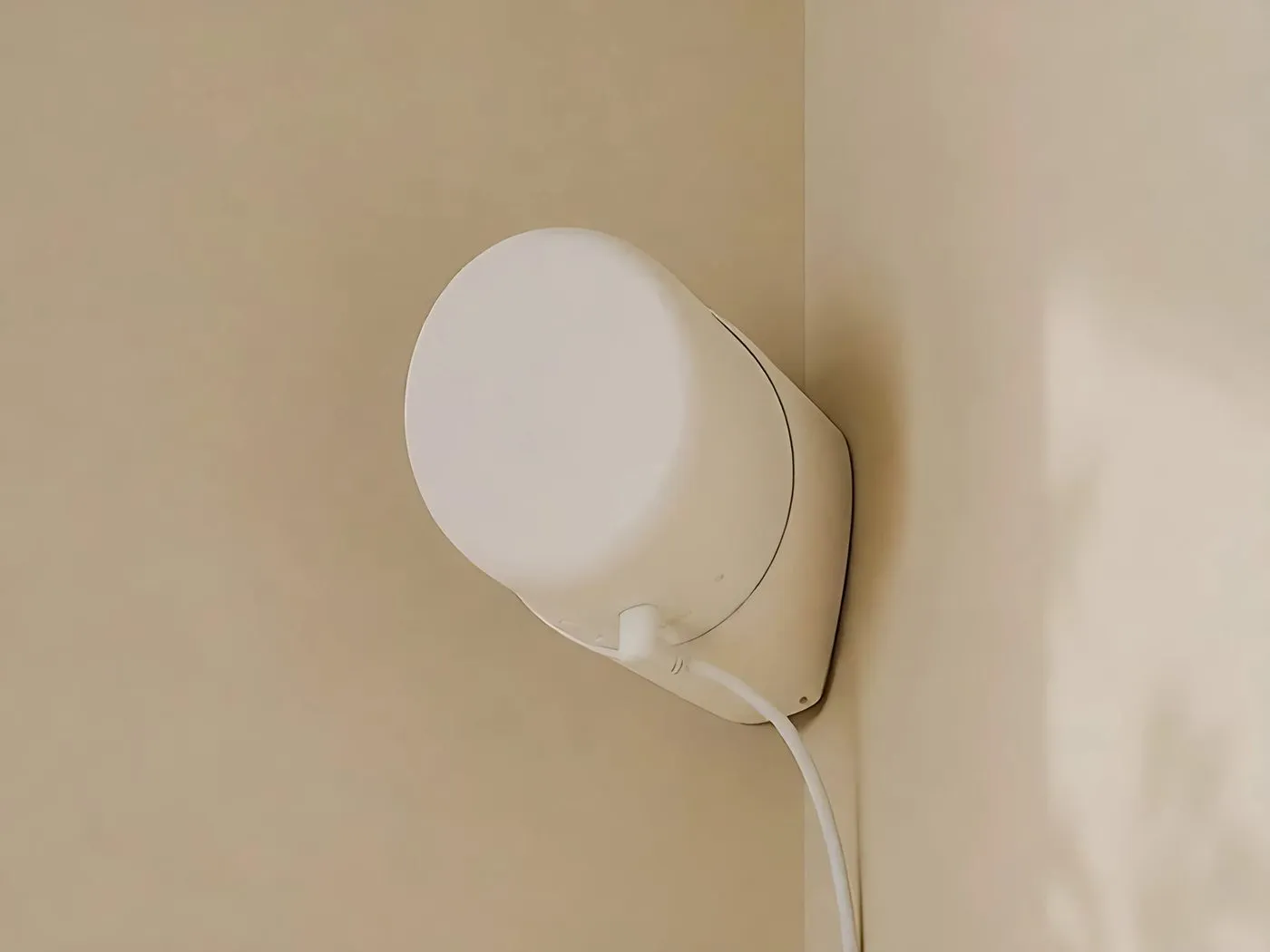
Mount the sensor in the corner using the app's instructions.
Invite family by email. Ask them to sign in to the app and check that push notifications are on.
Frequently asked questions
How much does Life Alert cost per month?
We could not verify a maker-advertised monthly rate for this comparison. If your parent already has Life Alert, check the current bill for the recurring charge and any extras. If you are getting a new quote, ask for the upfront and monthly amounts. Confirm those amounts include the fall alert features you want.
What can I use instead of Life Alert for my elderly parent?
Consider Silvie for camera-free fall alerts to family at home. If your parent wants a staffed response, compare monitored home and mobile options. If they already wear a watch, check whether its fall detection and emergency calling work where they go.
What is an alternative to Medical Guardian in Canada?
For a staffed home service, compare Lifeline Canada HomeSafe with Fall Detection. Your parent wears the pendant within range of a base that uses a landline or cellular service. Ask Lifeline for a CA$ quote. The Medical Guardian landline price shown here is for the US. Check whether that plan is sold and supported at your parent's Canadian address.
Is there a Life Alert alternative without a button to wear?
Yes. Silvie uses radar in the bathroom or bedroom where the sensor is mounted. If it detects a possible fall, it sends push notifications in the Silvie app to invited family members. Your parent has nothing to press or wear.
Can I get fall detection without a monthly monitoring fee?
Silvie sends alerts to invited family and has a monthly membership. The Silvie shop lists current hardware and membership prices. Apple Watch SE 3 has no staffed monitoring plan for Fall Detection. Check any cellular charges for how your parent will use it.
Does Silvie call 911 after a fall?
Silvie does not call 911. It sends push notifications in the app to invited family. They can call your parent, arrange a visit or call emergency services themselves.
Can a fall alert system work outside the home?
Check the model and its connection. Silvie detects falls in the bathroom or bedroom where the sensor is mounted. For outings, a device such as the Bay Alarm Medical SOS All-In-One 2 with Fall Detection is a mobile option. Your parent needs to wear and charge it, and you should check cellular coverage in the places they go.
Do I need Wi-Fi for a medical alert system?
It depends on the model. Lifeline Canada HomeSafe with Fall Detection uses a landline or cellular home base, depending on the version you choose.
Brandon Ro wrote this guide for Silvie. We compared what your parent wears or installs, how each device connects, who gets the alert and what the maker charges. We chose each pick for a specific situation.
Sources checked Nov 18, 2026. We used published maker information, Silvie app documentation and the linked health sources. The listed prices carry their original check dates.
See current Silvie pricing
Explore Silvie, the no-camera home safety sensor for older adults. It sends fall alerts to the family members your parent chooses.
Shop Silvie