How much does a medical alert system cost in Canada and the US?
 Brandon Ro·
Published ·
Updated
In Canada, Aqara lists its fall detection sensor at CA$109.99, and Lifeline Canada quotes its monitored HomeSafe service. The US monitored plans with fall detection below advertise US$37.95 to US$44.98 per month, with equipment charges shown separately.
What does each fall detection device cost?
The table shows each maker's advertised price for the named model and plan, with the checked date in each row. CA$ means Canadian dollars. US$ means US dollars. An unlisted fee needs a quote before you can compare it with a listed price.
| Device and plan | Upfront | Monthly fee | Who gets the alert | What it needs | Prices checked |
|---|---|---|---|---|---|
| Silvie | Current sensor price | Current membership price | Invited family through push notifications in the Silvie app. | Corner-mounted radar. Bedroom or bathroom. Setup details. | See shop |
| Aqara Presence Sensor FP2 | CA$109.99 for the sensor. | Fee for fall alerts unlisted | People set up to receive Aqara app alerts. | Ceiling mount for fall detection and 2.4 GHz Wi-Fi. No wearable or camera. | |
| Lifeline Canada HomeSafe with Fall Detection | Ask about setup. Maker says there is no expensive equipment to buy. | Request a CA$ quote. Equipment warranty included in the fee. | Lifeline Response Centre. | Wear the pendant. Home base uses a landline or cellular service. | |
| Apple Watch SE 3 | From US$249 | No separate monitoring plan. Check any carrier fee. | Emergency services when a call is made, then chosen contacts. | Wear and charge the watch. Check Apple's connection requirements for emergency calls. | (US price) |
| Medical Guardian landline with fall detection | Ask about equipment and setup | From US$37.95 with fall detection | Staffed monitoring centre. | Wear the pendant. Connect the base to a compatible landline. | |
| Bay Alarm Medical SOS Home Cellular with Fall Detection | US$30 for the fall button. Base leased at no charge. | US$44.95 with fall detection | Staffed monitoring centre. | Wear the fall detection button. The home base needs a cellular signal. | |
| Bay Alarm Medical SOS All-In-One 2 with Fall Detection | US$149 list price. US$74.50 advertised offer. | US$44.95 with fall detection | Staffed monitoring centre. | Wear and charge the mobile device. Check cellular coverage. | |
| Lively Mobile2 Premium with fall detection | US$89.99 for the device. | US$44.98 with fall detection | Lively Urgent Response agent. | Wear and charge the device. Check mobile service where it will be used. | |
| Kami Fall Detect | US$79.99 for the camera. | Two months of service included. Fee after that unlisted. | Approved family or caregivers. Kami also lists a monitored service. | Indoor camera with a view of the area. Wi-Fi and wall power. | |
| Vayyar Care | Price unlisted | Fee unlisted | Care staff via a nurse call system or app. | Wall or ceiling radar. Ask about power and network at your site. |
What should you budget for in Canada?
Start with a price for your parent's postal code. A US-dollar price can help you learn how a plan is billed. For a Canadian address, get a Canadian quote that confirms the equipment, service and currency for that address.
- Silvie. Silvie, the no-camera home safety sensor for older adults, is made by a Canadian company. Use the Silvie shop for the current hardware and membership prices. Decide with your parent whether to start with the bedroom or the bathroom. Price the second room separately if you want both.
- Aqara FP2. The Canadian store lists the sensor at CA$109.99. Check the delivery cost at checkout. The product page describes fall notifications and does not give a monthly price for that feature. Confirm the fee for the setup you plan to use.
- Lifeline Canada HomeSafe with Fall Detection. The maker includes an equipment warranty in the monthly fee and sends shoppers to a quote. Get the exact monthly charge and any one-time installation charge in CA$. Ask for the version that works at your parent's address.
- US prices. Apple Watch, Medical Guardian, Bay Alarm, Lively and Kami have US prices in the table. Canadian availability was not checked for these listings.
Just over half of hospitalized falls among adults aged 65 and older took place in a home. The data cover 2015 to 2020 in Canada, excluding Quebec. See the Public Health Agency of Canada's hospitalization findings.
Start your budget with the places your parent wants covered. A quote for two rooms answers a different question from a quote for a device your parent wears on errands. Our guide to fall detection devices in Canada explains what to check for each option.
Which charges belong in your budget?
Keep the amount due at checkout, the regular bill and conditional costs on separate lines. That way a low signup price stays easy to compare with a low monthly fee. Use the advertised charges or a written quote for each line.
| Charge | What to record | When it matters |
|---|---|---|
| Due at checkout | Device, fall detection accessory, setup, delivery and tax. | The base is included but the fall button is sold separately. |
| Regular bill | The rate with fall detection and the actual billing interval. | The monthly rate shown may require a longer payment term. |
| After an offer | The fee after included service or any introductory price. | The maker advertises the camera with two months of service. |
| Costs when things change | Replacement equipment, extra coverage and any charges when service ends. | You add a room, lose a wearable or have to return a leased base. |
Check whether the equipment belongs to you. Bay Alarm leases the SOS Home base at no charge while you subscribe. The maker says to return the base when you cancel. The fall detection button for SOS Home Cellular is a separate US$30 device fee. Prices checked .
Can you get fall detection without a monthly fee?
Yes. Apple Watch SE 3 has Fall Detection without a separate monitoring plan. The watch can call emergency services when Apple's connection requirements are met. Check with your carrier before budgeting for cellular service on the watch.
- If your parent already wears the watch. Check that Fall Detection is on and set for the activities they want covered. Apple's Canadian setup guide explains the settings and how emergency contacts are notified. Maker details checked .
- If their phone usually stays home. Ask what connection the watch could use on a walk. If you're considering a cellular model, get the carrier's recurring charge for that setup. Our Apple Watch fall detection guide walks through what to check.
- If you want a room sensor with app alerts. The Aqara FP2 page leaves the fall alert fee unlisted. Get confirmation for that feature before counting on a one-time purchase.
If a product advertises a button for help, check whether it also detects falls automatically. Our guide to automatic fall detection explains the difference.
What does a monitored plan pay for?
On the plans below, an operator or response agent receives the alert. Compare what they do after receiving it. Even two plans with similar prices can ask your parent to use different equipment.
- For staffed help at home in Canada. Lifeline HomeSafe with Fall Detection fits someone who wants a response centre and will wear the pendant. Your parent needs to stay within range of the home base. Confirm the full fee for the version you choose.
- For using a compatible US landline. Medical Guardian's landline option uses a home base and a pendant. It gives you a starting monthly rate with fall detection. Ask what you owe for the equipment and setup.
- For taking a separate help device on outings. Lively Mobile2 Premium with fall detection connects to a Lively Urgent Response agent. Your parent wears and charges the device. Check coverage along the routes they use and whether they would carry it every time they leave.
Ask the operator how they handle an alert when your parent cannot speak. Ask how they reach family and what details they keep for responders. If your parent lives in a building with a locked entrance, explain that when you ask how the service works.
In a study of people over 90, some participants with manual alarms did not use them after a fall. Reasons included leaving the pendant off or being unable to reach the alarm. Talk about what your parent would wear before paying for a plan.
What changes when you buy coverage away from home?
Compare plans for the places your parent actually goes. A plan designed for home can cost the same per month as a mobile plan. The coverage, equipment charge and what your parent has to carry can differ.
Bay Alarm lists both SOS Home Cellular and SOS All-In-One 2 with fall detection at US$44.95 per month. Prices checked . The home option uses a base and a separate fall button. The mobile option is a device your parent wears and charges.
- For a parent who wants help at home. Ask how far the wearable can be from the base in your parent's layout. Tell the maker about separate floors or a detached garage if those places matter. Use their answer to judge the home quote.
- For a parent who goes out alone. Ask the maker to confirm mobile service for the usual routes. Include specific places, such as a relative's address or a regular appointment. Ask what your parent needs to do to keep the device charged.
The table shows the different equipment charges. Compare those charges after deciding which setup your parent would use. If they split their time between two homes, check both addresses before you order.
What affects the price of a room sensor or camera?
Choose the room with your parent first. Then price the equipment for that room, the work to mount it and any service you want to keep. If you are still choosing the type of sensor, see fall detection without a wearable.
- For family app alerts. Silvie, the no-camera home safety sensor for older adults, mounts in a room corner. It captures no images, video or sound. Review the room and setup details, then check the hardware and membership price for the rooms you choose.
- For a parent who wants a sensor in their smart-home setup. Aqara FP2 needs a ceiling mount for fall detection. Aqara lists zone positioning and presence detection as unavailable in Fall Detection mode. Decide which mode you will use before spending money on the mount.
- For a staffed residence. Vayyar Care uses radar. The maker describes alerts through a nurse call system or an app. Ask the residence whether it can quote installation, any ongoing service and who handles an alert.
- Indoor camera. Kami Fall Detect lets approved family or caregivers see video. Agree with your parent on who can see it and where the camera would go. Check what happens to alerts and video access when the included service ends.
Compare the privacy trade-offs of radar and camera fall detection before deciding whether video is worth including in the budget.
What extra charges should you check before paying?
Put the product name and plan name at the top of the quote. A price for a basic help button can appear next to a price for a package with automatic fall detection. Bay Alarm lists US$34.95 monthly for SOS Home Cellular and US$44.95 with fall detection. The fall detection version also lists the US$30 button. Prices checked .
- Billing term. If a maker shows a monthly rate, ask what you will actually be charged at checkout. Check whether that rate requires you to pay for a longer term upfront.
- Setup and delivery. Ask whether the quote includes delivery, tax and an installer if you plan to use one. Make sure the mounting or connection your parent needs is included.
- Equipment changes. Ask what a replacement wearable or an added room would cost. Find out whether an extra device changes the monthly fee or only the equipment charge.
- End of service. Ask whether you must return any equipment, who pays for return shipping and which features stop working when the service ends.
What should you get in writing about the bill?
Ask for the payment schedule before choosing who will pay. It should say when the first payment is due and when the regular rate begins. Keep the quoted price and the plan name with the order confirmation.
Look at a device offer and a service offer separately. Bay Alarm's advertised SOS All-In-One 2 offer appears against its device list price. Kami's camera offer includes two months of service. Both were checked . Ask each maker which charge changes when the offer ends.
If siblings split the cost, decide who pays for the device and who handles the recurring bill. Make sure someone will see notices about billing changes. Ask the provider how the account holder and emergency contacts can be updated separately.
If your parent lives in a residence, check the charges already included in their agreement. Start by asking what alert equipment and response service the residence provides. Get any extra charge in writing before ordering a separate service.
Who answers the fall alert?
Compare the response you want before you compare monthly fees. With Silvie, the first people to receive the alert are invited family members. On the monitored plans above, the alert goes to a staffed service.
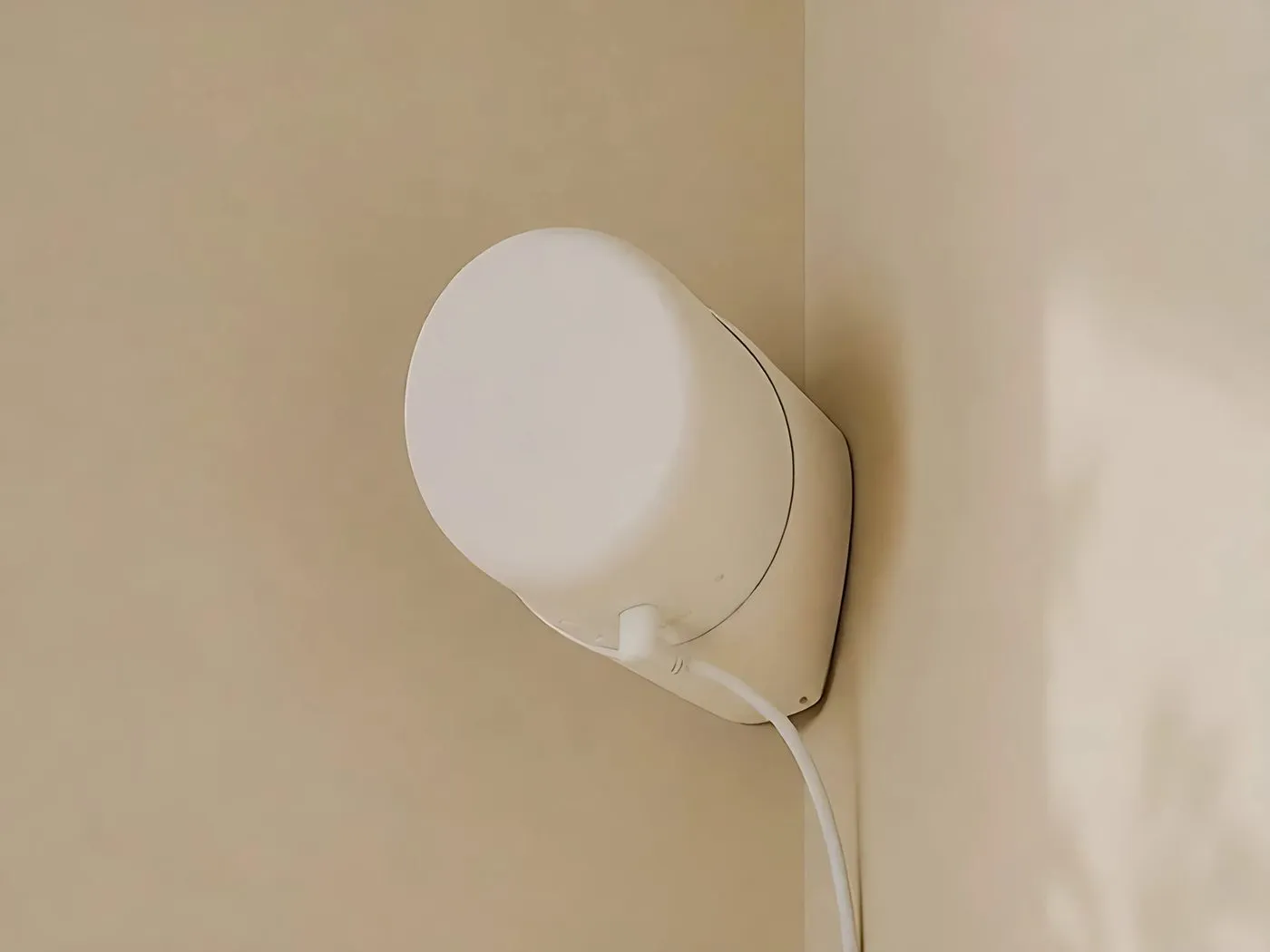
Open the alert. If Silvie detects a fall, invited family receive a push notification from the Silvie app.
Contact your parent or someone nearby.
If siblings share responsibility, decide who will act first and who covers if that person is away. Agree with your parent on a backup who can get inside. If you want an operator to handle the first response, compare the monitored plans by what their agents do.
The CDC notes that some fall injuries limit everyday activity. Our guide to checking in on an elderly parent remotely covers everyday calls and visits you can agree on together.
How do you narrow it down to two quotes?
Start by asking your parent where they want help available and how they want someone to respond. Write that down in a sentence. Use it as the description when you request both quotes.
- If the bedroom is the priority. Price one room first. Use the same room on both quotes. If you want to include the bathroom too, get it quoted separately so you can decide together whether to add it.
- If errands are the priority. Ask for a wearable that works where those errands happen. Bring the same list of stops to each maker or carrier. Include the connection cost on your quote.
- If a staffed response is the priority. Ask two providers about the same situation, such as an alert when your parent cannot speak to the operator. Compare the answer and the bill together.
When you request a price, give the maker the model, the address and the kind of alert your parent wants. Ask them to state the device charge, the monthly fee and any optional extras on separate lines. If a quote lists an accessory, ask what happens if you leave it out. With a help button package, that can clarify whether the quote still includes automatic fall detection.
Read the two quotes together with your parent. For each, ask them to explain what they would wear, charge or leave plugged in. Then ask them who would get the alert. If you hear different answers from what the quote describes, settle those questions before paying.
You'll find more questions about fit and setup in our guide to choosing a fall alert device.
How we wrote and checked this
Silvie, the no-camera home safety sensor for older adults, is our product. We chose examples that show different ways to pay for fall detection and different people who receive the alert.
We compared advertised equipment prices, monthly charges, extras and setup. Sources checked . The table keeps the earlier checked dates for the prices we carried over from the buying guide. The comparison uses published maker information and Silvie app documentation.
What you need
- A sensor in the room you choose. Silvie covers the bedroom or bathroom where the sensor is mounted. It does not cover outdoors.
- Family members who can respond. Silvie sends push notifications in the app to invited family members. They arrange help themselves. Silvie does not call 911. In an emergency, call your local emergency number. Agree on who will act if the person who gets the alert is away.
- A backup way to ask for help. Agree with your parent on how they can reach someone.
Common questions
How much does a medical alert system cost in Canada?
Aqara lists the FP2 at CA$109.99 for the hardware. The price was checked Nov 18, 2026. Lifeline Canada quotes the HomeSafe monthly fee. See the Silvie shop for current hardware and membership prices.
How much does fall detection cost per month in the US?
Medical Guardian's landline plan with fall detection starts at US$37.95 a month as checked on Oct 15, 2026. Bay Alarm lists US$44.95 a month for SOS Home Cellular with fall detection as checked on Nov 18, 2026. Check the equipment charge as well.
Are there medical alert devices with no monthly monitoring fee?
Yes. Apple Watch SE 3 offers Fall Detection without a separate monitoring subscription. You pay for the watch. Check any carrier fee if you want cellular service on it.
Is automatic fall detection included in a medical alert plan?
It depends on the plan. Bay Alarm lists SOS Home Cellular with Fall Detection separately from the standard plan. Check the monthly price for the fall detection version and whether it needs a separate device purchase.
How much does Silvie cost?
The Silvie shop shows current sensor and membership prices. Decide whether you want coverage in the bedroom, the bathroom or both before you price the hardware.
Does Silvie call 911 after a fall?
Silvie does not call 911. Invited family members get a push notification in the Silvie app if the sensor detects a fall. They contact your parent or arrange help.
Can I use a fall detector without Wi-Fi?
Some systems use a different connection. Lifeline Canada's HomeSafe base uses a landline or cellular service, depending on the version.
See current Silvie pricing
See what the sensor and membership cost for the setup you want.
Shop Silvie