
Buying guide
How to Choose a Fall Alert Device for an Aging Parent
 Silvie Team·Updated Oct 15, 2026·10 min read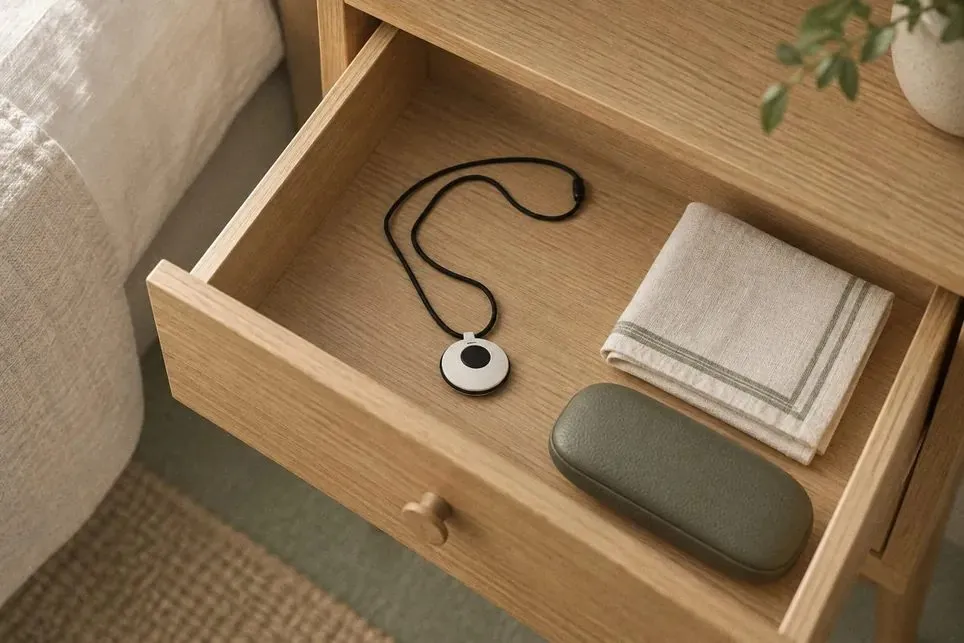
More than 1 in 4 adults aged 65 and older fall each year in the United States, and fewer than half tell their doctor. Falling once doubles the chance of falling again (CDC). If your parent lives alone, the question is not only whether they will fall. It is who will know, and how fast.
A fall alert device answers that question. There are five kinds, each works in a different place, and each fits a different person. This guide shows how each one detects a fall, what happens after it does, what it costs, and what it can miss.
Quick answer: which fall alert device fits your parent?
Will not wear or charge anything: a sensor on the wall (radar) or a camera. Ask how they feel about cameras first.
Goes out alone often: a wearable with automatic fall detection, a pendant or a smartwatch.
Wants a person to answer: a monitored system with a 24/7 call center.
Refuses cameras: a radar sensor. It makes no images.
Has memory problems: anything that does not depend on pressing a button.
Where and when do older adults fall?
Falls send older Americans to the emergency room about 4.5 million times a year and lead to 1.4 million hospital stays (CDC). They are the leading cause of injury death at 65 and older. In 2023 that was 41,400 deaths, and half were people 85 and older (CDC NCHS).
Falls happen all over the home. In one study, 25% happened in the bedroom, 18% in the kitchen, 25% elsewhere in the home, and 32% outside it (ScienceDirect, 2025). That last number matters when you choose: a device that lives in the home cannot see a fall in the garden or at the store.
In a UK study of people over 90, 82% of falls happened when the person was alone. Of those who fell, 30% lay on the floor for an hour or more (Fleming and Brayne, BMJ 2008). A long time on the floor is linked to more hospital stays and more deaths in the year after (BMC Geriatrics, 2022). The point of a fall alert is to make that time short.
Will your parent wear something every day?
Pendants and watches only help if they are on the body and charged when the fall happens.
In a German study of 52 people with an alarm button, 24% never wore it. Only 14% wore it day and night (Heinbuchner, 2010). In a 2026 US survey, 18% of users wore or carried their device at all times (The Senior List). In the UK study above, 38 falls left someone on the floor for a long time. In 37 of them (97%), the alarm was not used (BMJ 2008).
In one study, 76.9% of caregivers thought the person they cared for was at risk of falling. Only 34.6% of the older adults agreed (J Gerontol Nursing, 2024). At the same time, about half of older adults worldwide are afraid of falling (meta-analysis, 2024). Talk about it with your parent before you buy. A device they refuse to wear protects no one.
The 5 types of fall alert devices, and how each works
| Type | Wearing | Charging | Pressing a button | Camera | Outside the home |
|---|---|---|---|---|---|
| 1. Pendant | Must wear it | Must charge it | Button models need a press | No camera | Mobile models only |
| 2. Smartwatch | Must wear it | Must charge it | No press needed | No camera | Works outside |
| 3. Monitored home system | Must wear the button | Base unit plugs in | Press needed, unless fall detection is added | No camera | Home only |
| 4. Indoor camera | Nothing to wear | Plugs in | No press needed | Camera in the home | Home only |
| 5. Radar sensor | Nothing to wear | Plugs in | No press needed | No camera | Home only |
1. Pendant: help button or automatic fall detection
A help button pendant does nothing on its own: your parent presses it, and it calls a staffed center or a family contact (Consumer Reports). If they are unconscious, confused, or cannot reach it, no alert goes out.
An automatic pendant adds a motion and height sensor that notices a hard fall and calls the center without a press (Lifeline). Plans run from $24.99 to $27.95 a month, and fall detection adds $9.99 to $15.
Main drawback: it must be worn and charged, and button-only models depend on a press.
2. Smartwatch
Smartwatches from Apple, Google and Samsung can detect a hard fall. What happens next depends on the brand.
Apple Watch sounds an alarm. If your parent does not move for about a minute, it calls emergency services. Then it texts their emergency contacts with the location (Apple).
Google Pixel Watch can also call emergency services. The Wi-Fi model needs the phone nearby to make the call; LTE models work without it (Google).
Samsung Galaxy Watch sends an SOS message to the emergency contacts you choose (Samsung).
On Apple Watch, fall detection turns on by default from age 55. No staffed agent is on the line with any of them. Watches cost $249 to $399 once, and an Apple Watch needs an iPhone.
Main drawback: it must be worn and charged every day.
3. Monitored home system
A base unit sits in the home and comes with a button your parent wears on the wrist or around the neck. When they press it, the base unit calls a 24/7 monitoring center, and a trained operator answers through the base unit's speaker. The operator asks what happened, then calls family, a neighbor or emergency services, following the plan you set up (AARP; Consumer Reports). Some services keep the operator on the line until help arrives (Life Alert).
Bay Alarm and Medical Guardian each sell two versions. One uses a landline; the other uses a cellular signal, for homes with no landline. Home plans start at $27.95 a month on a landline and $34.95 on cellular. Automatic fall detection adds about $10 a month (Bay Alarm; Medical Guardian). Some charge setup fees too: Lifeline lists $50 to activate and $49.95 to program the device (Lifeline). Before you sign, ask how far from the base unit the button works. Then test it from the bathroom and the yard.
Main drawback: it works only at home, still needs a press unless fall detection is added, and the fee never stops.
4. Indoor camera
A camera with software that flags a person on the floor and alerts a caregiver (Nobi). It needs no wearing and no pressing. Kami Fall Detect is one sold to families. It launched at $99.99 with a required $45 monthly plan. Its video goes to the cloud, where a monitoring team checks a blurred clip before alerting family (Kami Vision, 2025). In 2026 Kami stopped advertising its accuracy and real-time claims after a review by the National Advertising Division (BBB National Programs). Nobi and SafelyYou sell mainly to care homes. Everyday cameras from Wyze, Ring and Eufy do not advertise fall detection. Each camera watches one room and needs a clear line of sight. In a Swiss survey of 1,211 adults, only about 35% accepted cameras to detect falls (Gerontology, 2026).
Main drawback: a camera in the home, which some parents refuse.
5. Contactless radar sensor
A small sensor on the wall uses radar, not a camera: a weak radio signal that bounces off people in the room. It detects falls, and it can tell when someone is still on the floor after one (Sensors, 2017; arXiv, 2026). It makes no image. Your parent has nothing to wear, charge or press.
More on how it works: fall detection without a camera, and the two side by side in radar vs camera.
Main drawback: it covers only the rooms with a sensor, nothing outside the home.
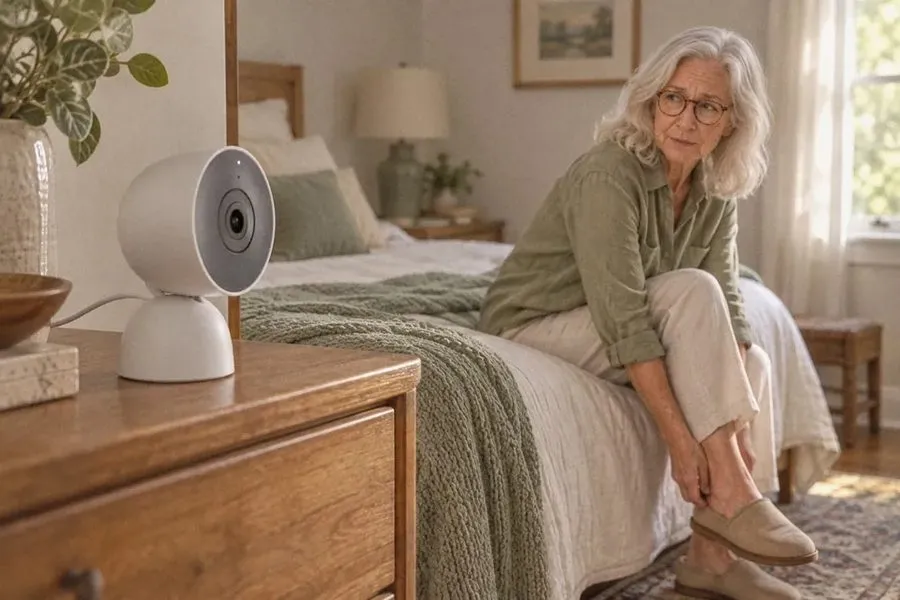 What a camera sendsVideo of your parent, face and all
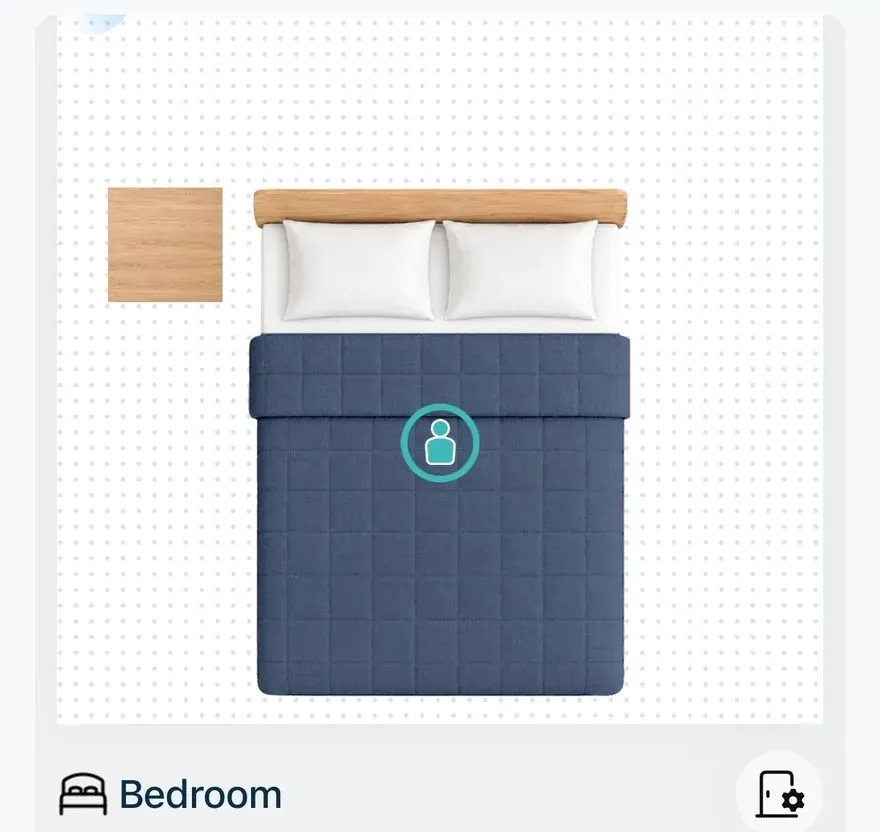 What a radar sensor shows the familyA dot on a floor plan. No image is made
How accurate is fall detection?
Every type above can send an alert. Below is what published studies found about how often each one catches a fall.
No device catches every fall, and lab results look better than real life. When 13 published methods for wearables were tested on 29 real falls of older adults, they caught 57% on average. The best caught 83%, with false alarms (PLoS One, 2012). A newer method detected 80% of 143 real falls (FARSEEING, 2020). A research fall app on three smartwatch models caught 77% of falls staged by 22 healthy adults (JMIR, 2022). Cameras scored 84% to 99%, but every test used young volunteers (Sensors review, 2026). Radar caught over 97% of staged falls in one lab study (Sensors, 2017). That was a research radar tested in a lab.
Apple publishes no detection rate for the Apple Watch. It says the watch "cannot detect all falls" (Apple Support). Apple built the feature by following more than 2,500 people over 250,000 days in assisted living and movement disorder clinics (Apple Health Report, 2023). The one independent test we found had 25 young adults fall from a wheelchair onto a pad. The watch caught 14 of 300 falls (Assistive Technology, 2022). We found no study that tested it on older adults falling at home. Google and Samsung publish no numbers either.
Ask any vendor what their device misses, and how often it sends a false alarm.
Pendant vs watch vs camera vs sensor: side by side
| Type | How it detects | Must be worn and charged? | Works outside? | Who gets the alert | Cost (US) |
|---|---|---|---|---|---|
| Help button pendant | Your parent presses it | Yes | Mobile models | Call center or family | $24.99 to $27.95 a month |
| Automatic fall pendant | Motion and height sensor | Yes | Mobile models | Call center | Fall detection adds $9.99 to $15 a month |
| Smartwatch | Motion sensor | Yes | Yes | Emergency services and contacts | $249 to $399 once |
| Monitored home system | Button | Button, yes | No | Staffed 24/7 center | From $27.95 a month |
| Indoor camera | Video and software | No | No | Caregiver | About $100 plus $45 a month (Kami); most others sell only to care homes |
| Radar sensor | Radar, not a camera | No | No | Family phones | $150 a sensor plus $44 a month (Silvie) |
All prices in US dollars, from each company's own page, checked Oct 15, 2026; promotions change. Price sources: pendants and monitored systems (Bay Alarm, Medical Guardian, Lively, Lifeline, MobileHelp); smartwatches (Apple, Google, Samsung); radar sensor (Silvie shop).
What happens after an alert?
Each type sends the alert somewhere different. A watch calls 911. A monitored system puts a trained agent on the line. A camera or a sensor alerts family phones. Before you buy, agree as a family on what happens next:
Open the alert and see where it happened.
Call your parent.
If they do not answer, call the person who lives closest.
Call 911 if you cannot reach anyone or they are hurt.
What does a fall alert cost over a year?
| Option | Upfront | Each month | First year, list price |
|---|---|---|---|
| Apple Watch SE 3 | $249 (needs an iPhone) | $0, no monitoring service | $249 |
| Medical Guardian, landline with fall detection | None listed | $37.95 | $455.40 |
| Bay Alarm, cellular with fall detection | None listed | $44.95 | $539.40 |
| Lively Mobile2 Premium with fall detection | $89.99 | $44.98 | $629.75 |
| Silvie, 3 rooms | $399 for 3 sensors | $33 billed yearly ($396), or $44 month to month | $795 |
All prices in US dollars for US buyers. Not included: shipping, activation fees, taxes, discounts. Silvie in Canada costs CA$175 a sensor, CA$469 for 3, and CA$59 a month or CA$528 a year.
Which device fits your parent?
Five questions to ask any vendor:
What happens after an alert?
Who is contacted?
What does it cost each month?
What can it miss?
How do returns work?
If you choose Silvie: the first day
With Silvie, the alert goes to the phones of the family members you invite. They can mark it as a true fall, a false alarm, or not sure. Silvie does not call 911 and has no call center, so agree as a family on who goes before the first alert.
Know its limits before you buy. Alerts arrive as app notifications, not texts or phone calls. The sensor needs wall power and 2.4 GHz Wi-Fi. It does not go in a shower or on a staircase, and a room larger than 6 m x 6 m needs two sensors.
When Silvie is not the right fit. If your parent spends most of the day outside the home, a wearable fits better. A sensor on the wall covers only the rooms it is in. If you are on a tight budget, Silvie costs more in the first year than a basic button plan. And if your parent wants a trained person or 911 to answer, a monitored system may suit them better.
Pick the room where a fall is most likely, such as the bedroom or the path to the bathroom. One sensor covers up to 6 m x 6 m (about 390 sq ft).
Tell your parent what it is, that it takes no pictures, and where it goes.
Mount the sensor in a corner of the room.
Plug it in with the adapter and cable in the box.
Connect it to Wi-Fi and finish setup in the app.
Invite family and agree who goes if an alert comes.
Test one alert so you know it reaches every phone.
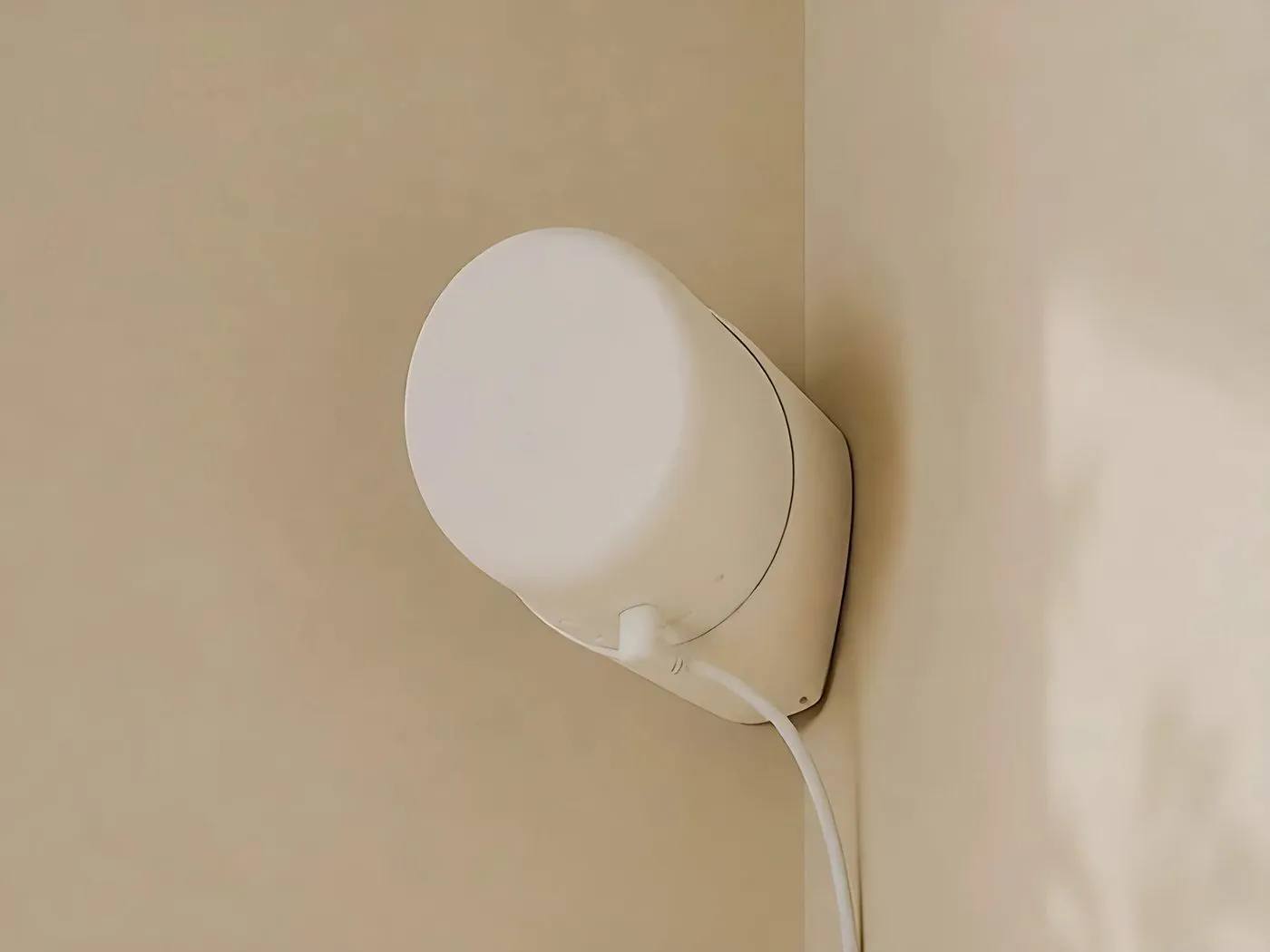
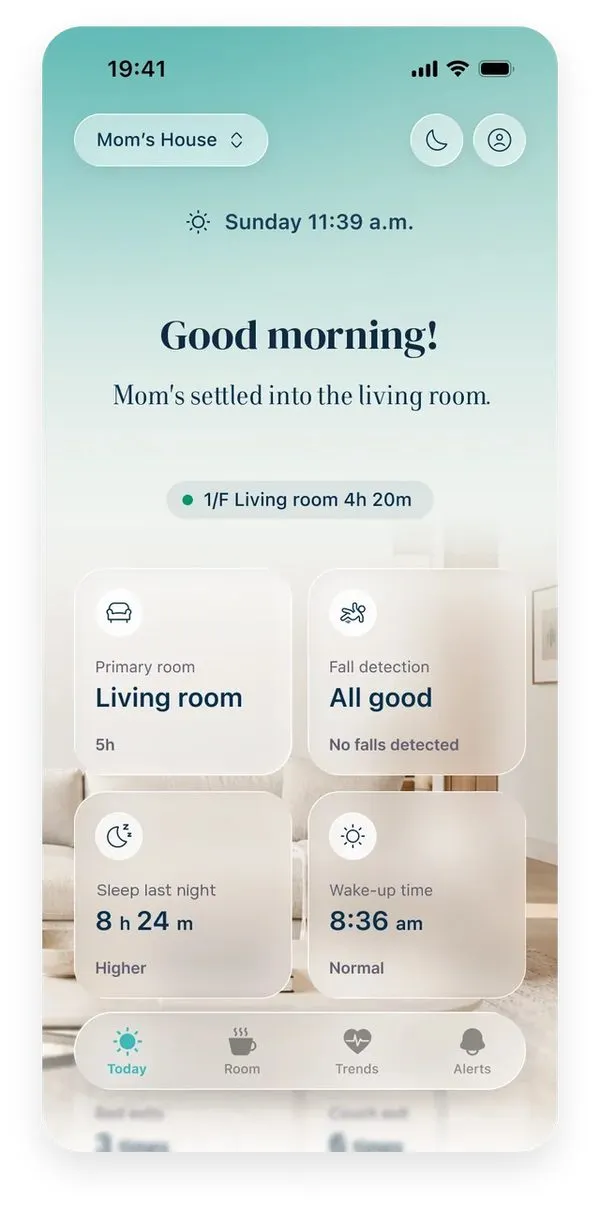
Silvie comes with a 30-day free trial, returns within 30 days, and a 1-year limited hardware warranty (terms of purchase). See the Silvie shop and support.
Common questions
Do fall alert devices call 911?
Apple and Google watches can call emergency services. Samsung watches send an SOS to your contacts. Monitored systems put an agent on the line who can send help. Silvie alerts family phones and does not call 911.
Do fall detectors catch every fall?
No. Apple says its watch cannot detect all falls. In one study, wearable methods caught 57% of real falls on average.
Can fall detection work without a camera or a wearable?
Yes. A radar sensor on the wall detects falls and makes no image.
Does my parent need a smartphone?
Not for Silvie. The app is for the family.
How much does fall detection cost a month?
About $38 to $45 for monitored plans with fall detection. Silvie is $44 a month or $396 a year, plus sensors.
Silvie, which publishes this guide, makes one of these five: a radar sensor. We compare all five the same way and say where ours does not fit.
How we compared: each type was checked on detection, what your parent must do, where it works, who is alerted, and cost. Prices come from each company's own page, checked Oct 15, 2026. New to the topic? Start with what fall detection is.
Sources
- CDC, Facts about fallscdc.gov
- CDC NCHS Data Brief 532, fall deaths 2023cdc.gov
- Underestimation of fall risks by older adults, ScienceDirect 2025sciencedirect.com
- Fleming and Brayne, BMJ 2008pmc.ncbi.nlm.nih.gov
- Long lie review, BMC Geriatrics 2022pmc.ncbi.nlm.nih.gov
- Heinbuchner et al., 2010doi.org
- The Senior List, medical alert usage study 2026theseniorlist.com
- Caregiver and older adult fall risk views, J Gerontol Nursing 2024pubmed.ncbi.nlm.nih.gov
- Fear of falling meta-analysis, 2024pmc.ncbi.nlm.nih.gov
- Consumer Reports, how to choose a medical alert systemconsumerreports.org
- AARP, how to choose a medical alert systemaarp.org
- Lifeline, fall detectionlifeline.com
- Apple Support, fall detectionsupport.apple.com
- Google Pixel Watch, fall detectionsupport.google.com
- Samsung Galaxy Watch, fall detectionsamsung.com
- Nobinobi.life
- Camera acceptance survey, Gerontology 2026pmc.ncbi.nlm.nih.gov
- UWB radar fall detection, Sensors 2017pmc.ncbi.nlm.nih.gov
- Radar floor detection after a fall, arXiv 2026arxiv.org
- Real-world falls and wearable algorithms, PLoS One 2012journals.plos.org
- FARSEEING real-world falls, 2020ncbi.nlm.nih.gov
- Smartwatch fall detection, JMIR Formative Research 2022formative.jmir.org
- Vision fall detection review, Sensors 2026pmc.ncbi.nlm.nih.gov
Prices: Apple, Google Store, Samsung, Bay Alarm, Medical Guardian, Lively, Lifeline, MobileHelp. Checked Oct 15, 2026.
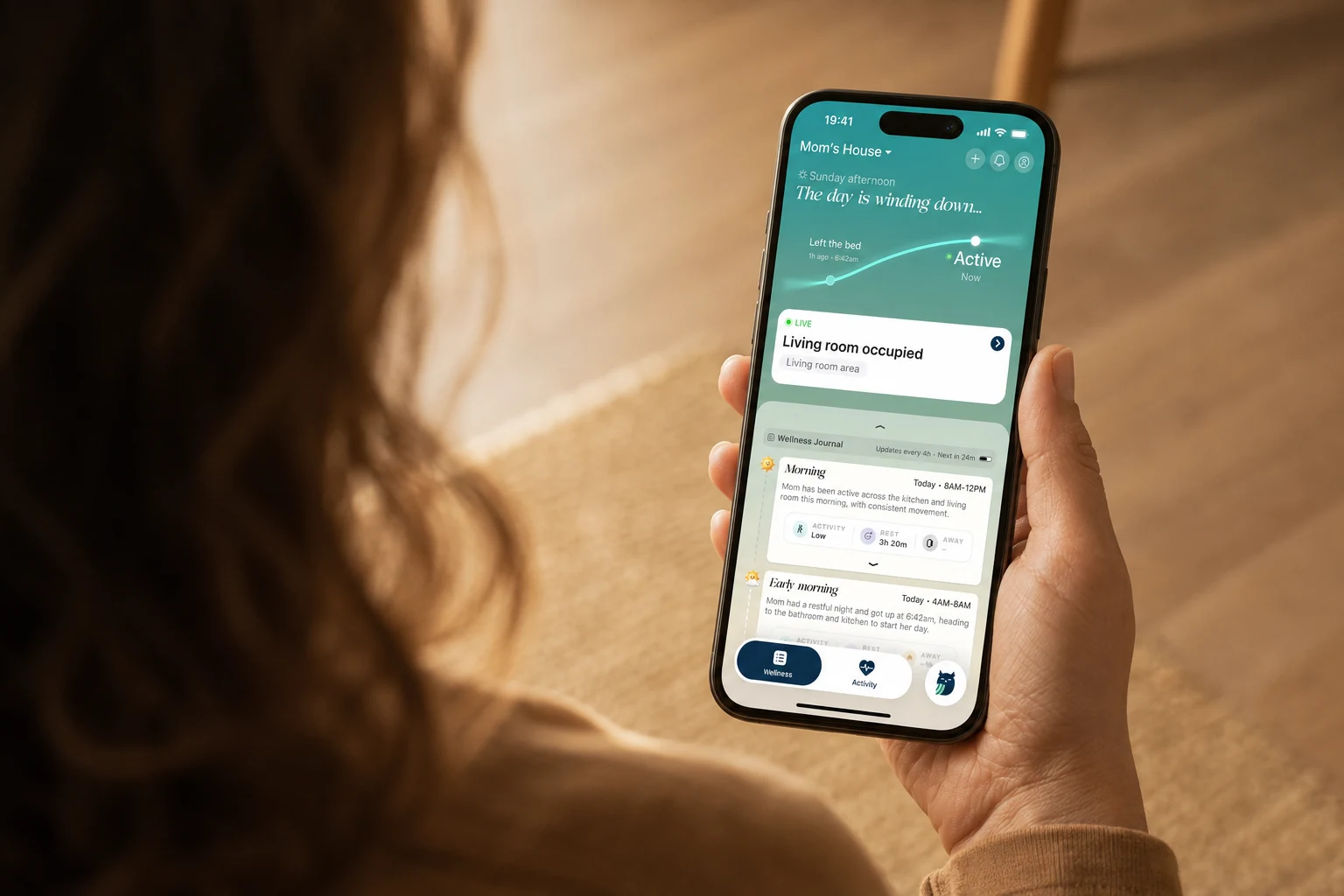
How to monitor an elderly parent remotely
Every way to stay aware from a distance, from daily calls to radar, and the privacy trade-off each one makes.
Aging in place technology: a family's guide
The four main options and their trade-offs, in one page.
See how Silvie works
A small sensor on the wall that detects falls and shows daily activity. No cameras, no wearables.
Explore Silvie