Apple Watch Fall Detection for an Elderly Parent in Canada
 Brandon Ro·
Published ·
Updated
Apple Watch fall detection can suit an elderly parent who likes wearing a watch and wants help reaching emergency services after a hard fall. For fall alerts at home, Silvie sends a push notification to invited family in the app. For a staffed response, Lifeline HomeSafe with Fall Detection alerts a response centre.
What Apple Watch does after a hard fall
Apple's Fall Detection instructions describe three steps. The first is an alert on the watch itself. The family notification comes after an emergency call. Maker details checked .
- The watch alerts your parent. It taps their wrist, sounds an alarm and shows a prompt. They can use the emergency call slider or dismiss the alert.
- The watch can call emergency services. If it senses movement, it waits for their response. If it detects they are still and they do not cancel, it can call automatically. That call plays a recorded message and shares the watch's location.
- The watch can notify chosen contacts. After the emergency call, the watch can notify the people in Medical ID and share its location with them.
Think about which of those steps you want as a family. If your parent wants you to be the first person notified, the Apple Watch sequence puts the emergency call first. With an operator, a person at the response centre takes the alert. With Silvie, invited family see the push notification in the app. Our guide to how fall detection works explains these paths.
The alert on the watch and a record in the Health app are separate. Apple says the Health app records falls unless your parent indicates they did not fall. On their iPhone, look under Browse, then Other Data, then Number of Times Fallen. That's where your parent can look back themselves.
How to turn on fall detection for your parent
Check the settings together if your parent already owns a watch. Apple lists the compatible models and settings. Its watch user guide shows where to change Fall Detection on the watch. Both were checked .
Check the model and profile. Apple lists Apple Watch SE or later, Series 4 or later, and Ultra or later. Apple says the feature turns on automatically if the age on file is 55 or older. Check that their date of birth is correct.
Choose Always on. On the iPhone, open the Watch app, then My Watch, then Emergency SOS. Turn on Fall Detection and choose Always on for daily use. Apple also offers Only on during workouts.
Check Wrist Detection. On the watch, open Settings and tap Passcode. Wrist Detection must be on for the watch to place an automatic emergency call.
Review Medical ID. Ask your parent whom they want notified. Check that each emergency contact has the right number.
Two other settings can affect what the watch shares. Apple says your parent's emergency contacts may be unable to get the automatic message if Apple Messages is deleted or another app handles messaging. Apple also says eligible responders in Canada can receive Medical ID when Share During Emergency Call is enabled. Let your parent choose what to share.
Check these settings on the watch they'll actually wear. If they already own a compatible model, you can compare its alert path with a pendant before buying anything.
Does Apple Watch work without an iPhone nearby?
It can place an emergency call without a nearby iPhone if the watch has a connection that supports the call. Apple describes cellular service, Wi-Fi Calling and satellite as possible routes. Which route is available depends on the device, carrier and location. Maker details checked .
- An iPhone goes with them. Check whether their paired iPhone can connect where they want help. Include the short trips when they tend to leave it behind.
- The watch goes out on its own. Ask the carrier if the GPS + Cellular model can make an emergency call on its network. Ask about activation and the monthly watch line charge.
- They rely on Wi-Fi in the home. Confirm that Wi-Fi Calling is set up and that the connection has internet access.
- They go beyond cellular and Wi-Fi range. Apple lists a satellite route on supported devices. It depends on service availability and a clear line to a satellite.
Check the exact model before paying for another watch. Apple says some networks may refuse emergency calls from watches that are inactive or set up for a different network. Give the carrier the model and ask what works at your parent's address or on their usual route.
Compare prices, monthly fees and who gets the alert
Each row shows when the maker listing was checked. CA$ means Canadian dollars. US$ means US dollars. The Apple Watch SE 3 price comes from Apple's US store. The prices for Bay Alarm Medical refer to its US plans.
| Device | What it needs | Who gets the alert | Upfront | Monthly fee |
|---|---|---|---|---|
| Silvie | Corner mount in the bedroom or bathroom. No wearable or camera. | Invited family get push notifications in the Silvie app. | Current hardware price | Current membership price |
| Apple Watch SE 3 | Wear and charge the watch. Set it up with an iPhone. Check the connection for emergency calls. | Emergency services when a call is made. Chosen contacts can get a notification after the call. | From US$249 Prices checked |
No separate Fall Detection plan. Ask your carrier about a watch line. |
| Lifeline Canada HomeSafe with Fall Detection | Wear the pendant within range of the home base. The base uses a landline or cellular service. | Lifeline Response Centre. | Ask what equipment and setup cost. Prices checked |
Request a CA$ quote. |
| Bay Alarm Medical SOS Home Cellular with Fall Detection | Wear the fall detection button. The home base needs a cellular signal. | Staffed US monitoring centre. | US$30 for the fall detection button. The base is leased at no charge. Prices checked |
US$44.95 with fall detection |
| Bay Alarm Medical SOS Smartwatch with Fall Detection | Wear and charge the watch. Check cellular coverage where your parent goes. | Staffed US monitoring centre. | US$199 list price, US$139.30 advertised offer Prices checked |
US$49.95 with fall detection |
| Aqara Presence Sensor FP2 | Ceiling mount for fall detection. Uses 2.4 GHz Wi-Fi. No wearable or camera. | People set up to receive Aqara app alerts. | CA$109.99 Prices checked |
Maker lists app alerts without quoting a monthly fee. |
| Vayyar Care | Wall or ceiling mount. No wearable or camera. Ask about power and network at the site. | Care staff via a nurse call system or app. | Ask Vayyar for an equipment quote. Prices checked |
Ask Vayyar about ongoing costs. |
| Kami Fall Detect | Indoor camera with a view of the area, Wi-Fi and wall power. Nothing to wear. | Approved family or caregivers. Kami also lists a monitored service. | US$79.99 for the camera Prices checked |
First two months included. Ask Kami about the charge after that. |
Read each monthly fee next to what it covers. A watch carrier plan pays for a connection. A monitored plan pays for a staffed service. Read the fall detection row for the model you want, since the lowest advertised plan may cover a different setup. Our fall detection buying guide compares more devices and service plans.
What to check before you buy in Canada
For a Canadian price, get a quote for the same model and service you intend to use. The table gives Apple's US hardware price. Ask separately about the Canadian watch price and carrier bill.
- Silvie. See the Silvie shop for current Canadian prices. Price the bedroom or bathroom you want to cover.
- Apple Watch. Ask for a CA$ hardware price for the exact GPS or GPS + Cellular model. Ask what the carrier charges for a supported watch line.
- Lifeline Canada. Request the HomeSafe quote for your parent's address. Ask for the installation charge, if any, and the monthly fee with fall detection included.
- Aqara. The Canadian store lists the FP2 at CA$109.99, with shipping shown at checkout. The listing was checked .
- Bay Alarm and Kami. The table shows US prices. We could not verify Canadian availability.
Ask whether the equipment is purchased or provided as part of service. Get hardware, installation, fall detection and any connection charge on separate lines. Our guide to fall detection costs explains those charges. See our guide to fall detection devices in Canada for more Canadian options.
Apple Watch vs. a monitored pendant
Apple Watch can place an emergency call. A Lifeline HomeSafe alert goes to a response associate. Lifeline says the associate assesses the situation and contacts a neighbour, loved one or emergency services based on your parent's preferences. Maker details checked .
Best for a staffed response at home. Lifeline HomeSafe with Fall Detection lets your parent wear a pendant and speak with a response associate through the home system. Check where the pendant stays in range of its base. Ask which version works with the landline or cellular service at their address.
- Ask what happens if your parent cannot answer. Find out what the operator does and when the service contacts you.
- Check how your parent can ask for help. Lifeline's pendant has a help button. Ask the provider to show your parent how to use it.
- Decide who gets listed. Ask your parent whether the response centre should reach a relative or someone who lives nearer.
Best for a watch wearer who wants an operator. Bay Alarm Medical's SOS Smartwatch with Fall Detection connects to a monitoring centre. Its SOS Home Cellular model uses a wearable button and home base. The watch costs more upfront in the listed offers. The home version depends on range to the base. Details checked .
Start with the device your parent would choose to wear. If a pendant usually stays in a drawer, read about what to do when a parent leaves their pendant off.
Apple Watch vs. a room sensor at night
Best for camera-free alerts to family in a bedroom or bathroom. Silvie is the no-camera home safety sensor for older adults, made by a Canadian company. It goes in a corner of the room and captures no images, video or sound. If your parent charges a watch at night, the room sensor lets you choose fall detection that works without a wearable.
Pick which room matters most. A bedroom sensor can cover the area where your parent gets out of bed. A bathroom sensor covers the bathroom where it is installed. If your concern is both rooms, compare two room setups. See fall detection without a wearable for more about choosing by room.
- Best for a smart home setup. Aqara Presence Sensor FP2 can send app notifications. It needs a ceiling mount for fall detection. Aqara says its fall mode switches off features including zone positioning and presence detection.
- Best to ask about in a staffed care setting. Vayyar Care is a camera-free radar option for care facilities. Ask whether the alert goes to a nurse call system or the Vayyar app. Confirm who responds on each shift.
- Indoor camera option. Kami Fall Detect uses a camera and offers video to help someone see what happened. The camera captures images of the area in view. Agree with your parent on where it goes and who can see that video.
Maker details checked . See how radar and cameras detect falls for more on privacy.
Choose around the time your parent spends alone
Ask your parent when they most want a way to get help. The Public Health Agency of Canada found that about half of older adults' falls leading to hospital stays happened in a home. The figures cover fiscal years 2015/16 through 2019/20 and exclude Quebec.
- Getting out of bed at night. Check whether a watch would be charging. If you choose a room sensor, agree on who will pick up a family alert overnight.
- Walking or running errands alone. Look at what your parent actually wears on outings. Check the watch's emergency connection along the route.
- Spending the day at home alone. If your parent wants an operator to answer, ask a pendant provider how its home base works at their address.
You can choose different devices for different parts of the day. For example, use Silvie for family alerts in a bedroom and Apple Watch Fall Detection for walks. Decide who responds to each alert before you pay for both.
Talk about changes at home too. The National Institute on Aging suggests night lights, bathroom grab bars and secured carpets. The CDC describes how fall injuries can make everyday activities harder. The Public Health Agency of Canada advises telling a healthcare provider if you fall. Our guide to falls among older adults gives more context.
What family sees when Silvie sends a fall alert
Invited family receive a push notification from the Silvie app.
- Open the alert and check who can respond. Agree with your parent whom you can call.
- Keep the family informed. Tell the other people who received the alert who is following up. Keep the address handy if someone needs to arrange help.
If you live far away, ask your parent who nearby can help if your first call goes unanswered. Our guide to checking in on a parent remotely covers ways to share those calls and visits.
What you need
Silvie covers the bedroom or bathroom where it is mounted in the corner. It has no outdoor coverage. Invited family arrange help after a push notification. Silvie does not call 911. In an emergency, call your local emergency number.
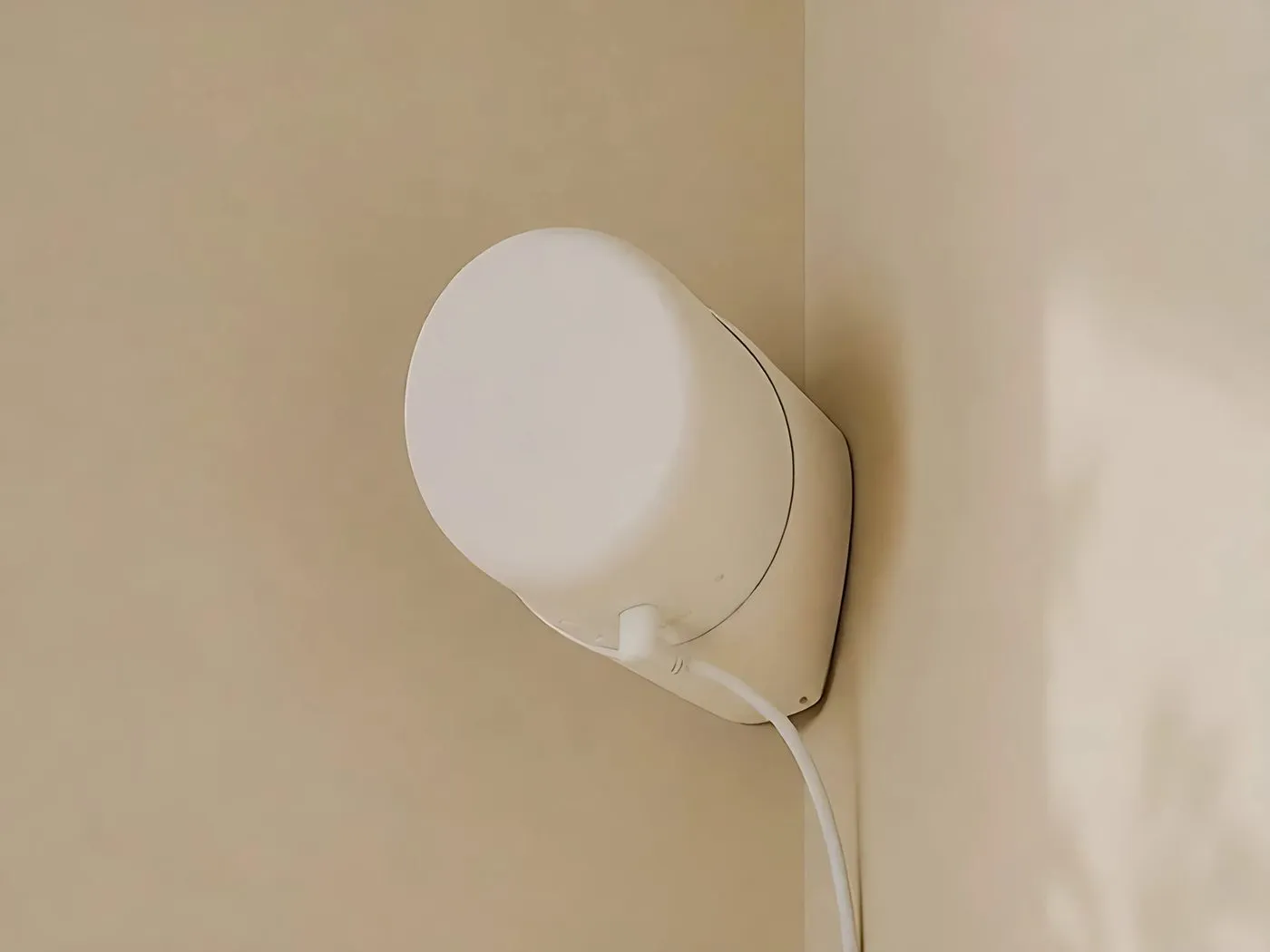
Set up the room. Follow the app to pair the sensor.
Mount the sensor. Follow the app instructions for the corner mount.
Invite the people who will respond. Send each invitation by email. Ask each person to sign in to the app and turn on push notifications.
Keep your family's check-in plan alongside the device.
- Apple Watch. Apple says its watch can mistake high-impact activity for a fall. Automatic calling also needs Wrist Detection and a connection that supports the call.
- Lifeline HomeSafe. Check the connection for the home base and where your parent can wear the pendant within range.
Common questions
Is Apple Watch fall detection good for an elderly parent?
Apple Watch Fall Detection can suit a parent who wears and charges a watch and wants help reaching emergency services after a hard fall. If their concern is time at home with the watch off, Silvie sends fall alerts from the bedroom or bathroom to invited family.
Does Apple Watch fall detection call 911?
Apple Watch can call emergency services after detecting a hard fall. Your parent can place the call from the alert. It can call automatically if the watch senses they are still, they do not cancel, and it has Wrist Detection and a working connection. It can notify the emergency contacts in Medical ID after the call.
Can Apple Watch fall detection work without an iPhone nearby?
Yes, if the watch itself has a connection that supports an emergency call. Check the model and the carrier at the places your parent goes. Apple lists cellular, Wi-Fi Calling and satellite as possible routes, depending on the setup.
Is there a monthly fee for Apple Watch fall detection?
Apple Watch Fall Detection has no separate monitoring plan. Ask the carrier what it charges for watch cellular service. The Apple Watch SE 3 US listing starts at US$249, checked Oct 15, 2026. In Canada, ask for the CA$ price for the watch and any monthly carrier charge.
What if my parent takes off their Apple Watch at night?
Apple Watch Fall Detection works while your parent wears the watch. Silvie can cover the bedroom or bathroom where it is mounted. It sends push notifications to invited family in the app. Silvie does not call 911.
Can I get fall alerts for my parent without a watch or pendant?
Yes. Silvie uses radar in the bathroom or bedroom where it is mounted and captures no images, video or sound. It has no outdoor coverage. Invited family get push notifications from the Silvie app and arrange help. See the Silvie shop for current pricing.
Brandon Ro wrote this guide. We make Silvie. We compared who gets the alert, where the device works, what your parent needs to do and what the maker charges. We checked sources on , using maker documentation, Silvie app facts and the linked health sources. The table dates each maker listing.
See current Silvie pricing
Choose the bedroom or bathroom you want to cover with fall alerts for your family.
Shop Silvie