Fall Detection Devices in Canada (2026): Which Fits Your Parent
 Brandon Ro·
Published ·
Updated
Silvie, the no-camera home safety sensor for older adults, is made by a Canadian company. For camera-free fall alerts at home, it sends push notifications to invited family in the Silvie app. For staffed help at home in Canada, compare Lifeline HomeSafe with Fall Detection. For outings, consider Apple Watch SE 3.
Compare devices, upfront prices and monthly fees
Start with who gets the alert. Then compare what your parent would wear or install and what you would pay. The table starts with options to check in Canada. US prices are listed for reference. Ask the provider about delivery and service at your parent's postal code.
Prices checked for Aqara, AltumView, Bay Alarm and Kami. Apple Watch, Lively and Medical Guardian US prices were checked . CA$ means Canadian dollars. US$ figures are the makers' US prices. Canadian availability was not checked for products with only US prices listed. Confirm any unlisted charge before you order.
| Device | Wear or camera | Connection | Who gets the alert | Upfront | Monthly fee |
|---|---|---|---|---|---|
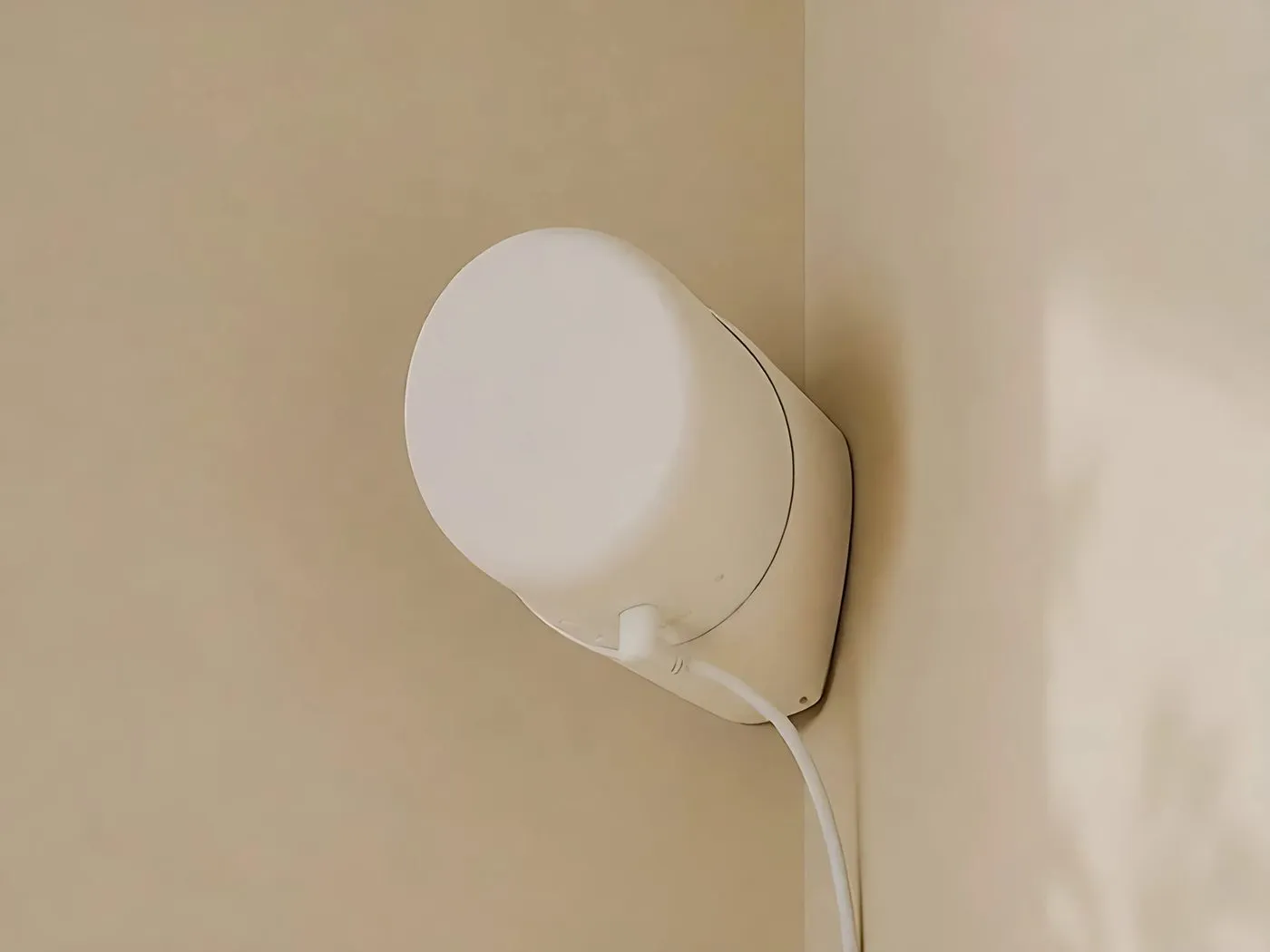
| Silvie | Radar sensor mounted in the corner. No wearable or camera. | See home setup | Invited family get push notifications in the Silvie app. | Current CA$ hardware price | Current CA$ membership price |
| Lifeline Canada HomeSafe with Fall Detection | Wear the pendant. No camera. | Home base uses a landline or cellular service. | Lifeline Response Centre | Ask about any equipment or setup charges | Request a CA$ quote for monthly service |
| Aqara Presence Sensor FP2 | No wearable or camera. Ceiling mount for fall detection. | 2.4 GHz Wi-Fi | People set up to receive Aqara app alerts | CA$109.99 before shipping | Fall alert fee unlisted |
| Apple Watch SE 3 | Wear and charge the watch. No camera needed. | iPhone for setup. Check the connection for emergency calls. | Emergency services when a call is made, then chosen contacts | From US$249. Canadian price unverified. | No monitoring plan. A cellular plan can cost extra. |
| AltumView Sentinare | Uses images to detect activity. Sends a stick-figure view. | Ask AltumView about the home setup. | People set up to receive alerts in the Sentinare app | Hardware price unlisted on the maker page. | Basic Plan included. Optional Home Plan US$30 per month. |
| US prices and care setting options | |||||
| Bay Alarm Medical SOS Home Cellular with Fall Detection | Wear the fall detection button. No camera. | Home base uses cellular service. | US-based monitoring centre | US$30 for the fall detection button. Base leased at no charge. | US$44.95 with fall detection |
| Bay Alarm Medical SOS All-In-One 2 with Fall Detection | Wear and charge the mobile device. No camera. | Check cellular coverage. | US-based monitoring centre | US$149 list price, US$74.50 advertised offer | US$44.95 with fall detection |
| Lively Mobile2 Premium with fall detection | Wear and charge the mobile device. No camera. | Check mobile service where it will be used. | Lively Urgent Response agent | US$89.99 | US$44.98 with fall detection |
| Medical Guardian landline with fall detection | Wear the pendant. No camera. | Home base with a compatible landline. | Staffed monitoring centre | Ask about equipment and setup | From US$37.95 with fall detection |
| Kami Fall Detect | Indoor camera. Nothing to wear. | Wi-Fi and wall power | Approved family or caregivers. Kami lists a monitored service. | US$79.99 for the camera | Two months of service included. Fee after that unlisted. |
| Vayyar Care | Radar on a wall or ceiling. No wearable or camera. | Ask about power and network setup. | Care staff via a nurse call system or app | Ask for a quote | Ask about ongoing fees |
Silvie for camera-free alerts to family
For camera-free alerts to family in the bathroom or bedroom. Silvie, the no-camera home safety sensor for older adults, senses movement using radar. It captures no images, video or sound. Ask your parent which room they want to start with and who they want to invite. Our guide to fall detection without a wearable explains how room sensors fit into a daily routine.
- Choose who can respond. Invite the family members your parent wants involved. The invited family members receive Silvie push notifications in the app.
Lifeline Canada for a staffed response at home
For a parent who wants an operator to answer and is comfortable wearing a pendant. With HomeSafe with Fall Detection, the pendant can trigger an alert to Lifeline's Canadian response centre through the home base. The operator can speak to your parent through the base. Lifeline describes a monthly service that includes an equipment warranty. Its Canadian product page gives no monthly dollar amount. Ask for a CA$ quote with the fall detection pendant and any activation or setup charge. Maker details checked Nov 18, 2026.
- Ask for HomeSafe with Fall Detection by name, so the quote covers the pendant you are comparing.
- Ask how far from the base the pendant works. Include any rooms on another floor or on the far side of the home.
- Check whether the operator can use the contact list your parent wants. Ask how the response plan changes when no one can get to the home.
Aqara for a smart home sensor
For a family comfortable setting up a ceiling-mounted sensor and app alerts. The Aqara Presence Sensor FP2 has a Fall Detection mode. Aqara says the sensor cannot divide the room into zones or report whether someone is present while it is in that mode. Aqara lists the FP2 at CA$109.99 before shipping. Its product page leaves the fee for fall alerts unlisted. Prices checked Nov 18, 2026.
- Check the mounting spot before ordering. If your parent rents, check what they can attach to the ceiling.
- Decide whose phone should get the app alert. Ask how to check that those phones receive it in the setup you choose.
- Ask Aqara to confirm any fees for the fall alerts you want. The price of the sensor alone gives you only the hardware cost.
Apple Watch for a parent who already wears a watch
For a watch wearer who wants help on outings. With Fall Detection enabled, Apple Watch SE 3 can contact emergency services after a hard fall when the conditions for an emergency call are met. The watch can then notify chosen contacts. Use Apple's Canadian fall detection instructions to check which connection the watch needs. The US starting price was US$249 on Oct 15, 2026. Ask for the CA$ price of the watch and any cellular charge separately.
- Choose a charging routine that works for your parent. If they want the watch on at night, pick another time to charge it.
- Ask what happens when the iPhone stays at home. Check the exact watch model and any carrier plan it needs.
- Review the emergency contact list with your parent. If someone lives far away, agree who nearby can help them follow up.
Indoor devices that use images
AltumView Sentinare uses images to detect activity and turns people into stick figures on the device before transmission. AltumView lists standard alerts on a Basic Plan included with the device. Its optional Home Plan is US$30 a month, checked Nov 18, 2026. Kami Fall Detect uses an indoor camera and lets approved family or caregivers see video and receive alerts. Ask your parent what they are comfortable with in each room. The maker details were checked Nov 18, 2026.
- Ask what the device captures, what it sends and what others can see. These answers can differ even between two devices that both use images.
- Ask who can add another viewer or change access. Agree on those decisions with your parent before installing anything.
- Compare radar and camera fall detection if your parent wants to understand what each device senses.
Check service in Canada before ordering from a US seller
The US prices above show how different plans split the cost of equipment and service. Canadian home service for those plans was unverified in the sources checked. If you are considering a US model, confirm both service and support at your parent's address before buying.
- Home or mobile service. Bay Alarm's two plans in the table have the same monthly fee with fall detection. One has a leased base and the other has a device you buy. Check what you have to return when service ends.
- Landline service. For a system like Medical Guardian's landline option, ask if the base works with your parent's phone service. Include any setup charges when you compare it with the Canadian Lifeline quote.
- Included service. Kami includes two months of service with the camera, checked Nov 18, 2026. Ask what renews and what it costs before comparing the first year.
If your parent lives in a staffed residence, ask what the care team already uses. Vayyar Care is a camera-free radar option for care settings. Vayyar describes sending alerts to staff through a nurse call system or a dedicated app. Ask the residence whether staff receive room alerts and who updates family. Maker details checked Nov 18, 2026.
Choose where your parent wants help
The Public Health Agency of Canada found that just over half of older adults' falls that led to a hospital stay happened in a home. The hospital records for that finding cover 2015/16 to 2019/20 and exclude Quebec. Ask your parent which places worry them and when they are there on their own. Our guide to choosing a fall alert device walks through more device types and daily routines.
| Where your parent wants help | Type to compare | Question to ask |
|---|---|---|
| Bedroom or bathroom | Camera-free room sensor | Which room comes first, and who should get the alert? |
| Across the home | Pendant with a home base | Does it reach the base from each place we need? |
| Walks and errands | Watch or dedicated mobile alert device | Will my parent wear it, and does it connect along their usual route? |
In a BMJ study of adults over 90, people who fell alone and could not get up often went without using their call alarm. Talk through whether your parent wants a button, automatic detection or both. Our guide to what automatic fall detection does explains the difference.
Work out the first-year cost in Canadian dollars
Compare the price of getting started and the cost of keeping the service. Use the same number of rooms or people in each quote. If the maker offers a lower price at the start, ask what bill will follow when the offer ends.
- Get the hardware total. Count every device your parent would use. Ask which items you would own and which go back to the provider if you stop the service.
- Get the ongoing total. Ask for the monthly or annual price with fall detection enabled. Add a cellular plan or other required service if it is billed separately.
- Put both on one page. Add hardware, setup, shipping, taxes and the first 12 months of service. For an annual plan, use the quoted annual fee. Ask about renewal before you compare what year two would cost.
Aqara advertises the FP2 at CA$109.99 before shipping, checked Nov 18, 2026. A first-year total still needs any fees that apply to your setup.
Check the Canadian service at your parent's address
Give the provider your parent's postal code and province before you pay. Ask whether the device ships there and whether the same device and plan work there. If your parent lives outside a city, ask how to verify the connection at their home.
- Ask for a written CA$ quote. Request the exact device, plan and add-ons, including the cost of automatic fall detection if it is separate.
- Check the main route. For a wearable, ask about service along the route your parent takes to the shops or on walks. With a home base, ask how to check it from the rooms they use.
- Check the bill after any offer ends. Ask what the regular price is, what equipment you keep, and which fees apply if you stop service.
Decide who will answer the alert
Write down the first call, the backup and who can get inside. If you live far away, choose a nearby person with your parent and confirm that person agrees. If an operator answers first, ask the provider to walk you through the same scenario.
- First contact. Who can call your parent and tell the others they are following up?
- Backup contact. Who can get to the door if the first person is working, travelling or asleep?
- Access. Does the responder know the address, unit number and how to get in?
- Practice. Ask the maker for its test instructions. If there is a staffed response centre, ask how to tell the operator in advance.
Agree on a separate routine for calls or visits that works for you both. See our guide to checking in on a parent from a distance for ways to share that work. The CDC notes that a previous fall raises the chance of another. If your parent tells you about a fall, you can help them write down what happened for their healthcare provider. Our guide to falls in older adults has more Canadian context.
What you need
- Silvie at home. The sensor mounts in the corner of the bathroom or bedroom you choose. Plan separately for a second room or outings. Silvie has no outdoor coverage.
- Silvie on your phone. Use the app to pair the sensor and configure the room. Invited family need the app for push notifications. Silvie does not call 911. In an emergency, call your local emergency number. Your family arranges the response.
- A check-in plan. Agree on how your family will check in if something seems wrong.
Common questions
Which fall detection device in Canada fits a parent living alone?
Choose by who can respond and where your parent wants help. Silvie sends camera-free room alerts to invited family in the app. Lifeline Canada HomeSafe with Fall Detection alerts a staffed response centre. Apple Watch fall detection is an option for a parent who wants to wear a watch on outings.
Can you buy a fall detection device in Canada with no monthly fee?
AltumView lists standard alerts on a Basic Plan included with the device. Its optional Home Plan costs US$30 per month, checked Nov 18, 2026. Aqara lists the FP2 at CA$109.99, checked Nov 18, 2026. Its product page leaves the fall alert fee unlisted.
How much does fall detection cost per month in Canada?
See the Silvie shop for the current membership price. For Lifeline Canada HomeSafe with Fall Detection, ask Lifeline for a CA$ quote that includes the pendant, monthly service and any setup charges.
Is there fall detection without a camera or a wearable?
Yes. Silvie, the no-camera home safety sensor for older adults, uses radar to sense movement in the bathroom or bedroom. It captures no images, video or sound. If it detects a possible fall, it sends push notifications to invited family in the app.
Does a fall detection device work without Wi-Fi?
It depends on the device. The Lifeline HomeSafe base can use a landline or cellular service, depending on the model.
Do fall detection devices call 911 in Canada?
Silvie does not call 911. It sends push notifications in the Silvie app to invited family members, who arrange help. Apple Watch can contact emergency services when the conditions for an emergency call are met. Ask a monitored provider what its operator does when your parent cannot answer.
We make Silvie. We chose options for different needs. We compared where they work, what your parent has to do, who gets the alert and what the maker charges. We checked sources Nov 18, 2026, using maker pages, Silvie app documentation and the linked research. The table shows the original check date for prices carried over from our buying guide.